
WAPA.TV
Wapa TVNews & Magazines
3.3140.00 Reviews
- Version
- 5.0.4
- Installs
- 100.00K
- Age Rating
- Everyone
Screenshots
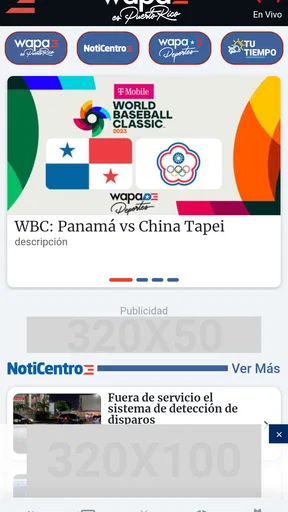

Our Review of WAPA.TV
 Analysis by Appyee
WAPA.TV is a focused news and magazine app from Wapa TV for people who want a direct way to keep up with the broadcaster’s content on a mobile device. I found its appeal less in trying to replace every news source and more in giving Wapa TV viewers a convenient place to check what the channel is offering when they are away from a television. It is free, aimed at Everyone, and belongs to the News & Magazines category.
That narrow purpose is important. If you want a broad news reader that combines many publishers, personalized topics, extensive archives, or a large collection of international sources, this is not the kind of app I would choose first. If you already follow Wapa TV and want its material closer at hand, however, the app makes more sense. Its value comes from being a mobile doorway to one broadcaster, not from pretending to be an entire news ecosystem.
What to expect when you open WAPA.TV
The app is developed by Wapa TV and presents itself around the station’s own content. The store summary invites users to enjoy Wapa.TV content, while the short description is simply WAPA.TV. That concise positioning matches my impression: this is a branded companion for the broadcaster rather than a neutral newsstand.
On first launch, I would approach it with one practical question: can I quickly reach the Wapa TV material I came for? That is a better test than expecting a huge menu of unrelated sections. The experience is most useful when your interest is already connected to the station, its reporting, or its programming. The app can reduce the friction of opening a browser and searching for the broadcaster manually, especially when checking from a phone during a break.
The application has reached over one hundred thousand installs, with an average rating of 3.3 from roughly seven hundred ratings and around one hundred forty written reviews. Those figures suggest a real audience, but also a mixed experience rather than universal approval. I would read that as a reason to keep expectations sensible: the app is worth trying if Wapa TV is relevant to you, but its presence on your phone does not automatically make it the best news tool for every situation.
Because it is free, the decision to test it is relatively easy. The more meaningful cost is attention. A broadcaster-specific app can be useful when it matches your viewing habits, yet unnecessary if you only want occasional headlines and already have a preferred general news app. I would not install it merely because I need “news” in the broadest sense; I would install it because I want Wapa TV’s material in a more immediate format.
Who will get the most from it
I see three especially sensible audiences. First are regular Wapa TV viewers who want a second screen for checking content away from home. Second are people who prefer following a familiar local broadcaster rather than assembling news from many unknown sources. Third are occasional users who want a simple branded source without paying for access.
The app is less suitable for readers who compare several outlets before forming an opinion. It is also a weaker match for anyone looking mainly for deep customization, extensive topic filters, or a single place to manage many subscriptions. In those cases, a broad news aggregator or the mobile sites of several publishers may provide more range.
Getting from installation to a useful first visit
WAPA.TV was released on May 12, 2023, and the current version is 5.0.4. It supports devices running Android 6.0 or later. That minimum requirement covers many older Android phones, which is helpful if you are keeping an aging device in service rather than upgrading just to follow news.
After installing, I recommend beginning with a short, deliberate check instead of tapping through every visible item. Look for the main content area and identify how the app presents Wapa TV’s material. Your first goal should be simple: locate something you genuinely want to read or watch, open it, and confirm that the app’s navigation feels understandable on your screen.
A useful first-session routine is to spend a few minutes learning the app’s rhythm. Notice whether the content is arranged as a stream, grouped by sections, or presented through prominent featured items. I am deliberately treating this as a workflow rather than promising a particular layout, because app interfaces can change between releases and devices. The practical lesson remains the same: find the route from the opening screen to a meaningful item before judging the whole product.
If you are installing it for a family member, the Everyone content rating makes the app easier to consider for a shared household device. I would still show that person the basic path in person: open the app, select a current item, return to the main screen, and repeat the process. That small demonstration is often more useful than explaining every menu, especially for someone who only wants to check Wapa TV occasionally.
Your first successful action
For me, the first successful action should be opening a current piece of Wapa TV content and reaching the point where I can actually consume it without guessing what to press next. That might mean reading a news item or starting another piece of available material, depending on what the app displays during your session. The important result is not merely seeing the home screen; it is confirming that the app gets you to the broadcaster’s content with reasonable effort.
Try this when you have a specific reason to open it. For example, imagine you are waiting for an appointment and want to check what Wapa TV has published since you last watched television. Install the app beforehand, open it during the wait, scan the available items, and choose one that matches your interest. If you can complete that sequence without resorting to a browser, the app has already earned a practical place on your phone.
A second useful test is to close the app and return later rather than spending a long first session exploring. This shows whether you remember where the important content lives. A good companion app should become easier to use after that first visit. If you keep losing the main path, make a mental note of the screen or section that worked best and use that as your starting point next time.
I also suggest testing it on the connection you normally use. A quick visit over mobile data tells you whether the app fits your everyday routine, while a later visit on Wi-Fi lets you compare the general feel without making assumptions from one environment. I would avoid treating a single slow moment as a final verdict, but repeated difficulty reaching content is fair evidence that the app may not suit your habits.
Small habits that make the app more useful
One non-obvious advantage of a broadcaster-specific app is reduced decision fatigue. With a general aggregator, I often spend more time choosing among sources than reading anything. With WAPA.TV, the source is already defined, so I can use a short check-in routine: open it when I want Wapa TV’s perspective, scan the newest or most prominent material, and leave once I have found what matters.
That same focus is also a trade-off. Because the app centers on Wapa TV, I would not use it as my only tool for checking a developing story. For important subjects, I prefer comparing coverage from additional reputable sources. The app can be one convenient stop in that process, but its usefulness should not be confused with broad editorial coverage.
Another practical tip is to treat it as a destination rather than a background feed. I would open it with a purpose—checking a particular update, browsing the broadcaster’s latest material, or catching up during a spare moment—rather than expecting it to continuously organize the entire day’s news. That approach keeps the app’s focused design from feeling limited.
If you are helping someone decide whether to keep it installed, ask how often they actively look for Wapa TV content. Frequent viewers may appreciate having a dedicated entry point. Someone who opens it only once every few months may be better served by remembering the broadcaster’s website or using a general browser bookmark. The right choice depends on repeated usefulness, not simply on whether the app launches correctly.
Common points of confusion
The first likely misunderstanding is assuming that a News & Magazines label means the app will behave like a multi-source reader. It does not make sense to judge WAPA.TV by the same standard as an aggregator that collects headlines from many publications. Its identity is tied to Wapa TV, so the range is intentionally narrower.
A second confusion is expecting the app to replace television in every circumstance. A mobile companion can make content easier to reach, but the experience of using a phone is different from watching a full broadcast on a larger screen. I would see the app as a flexible way to access the broadcaster’s mobile content, not as a promise that every television habit has been reproduced perfectly.
It is also easy to mistake a quiet or limited-looking screen for a problem with your account or device. Before changing settings, I would first check whether you are looking at the main content area and whether the item you want is presented elsewhere in the navigation. Branded apps often organize information around featured material rather than the familiar headline grid used by large news platforms.
Another point worth keeping in mind is the difference between a free download and a guarantee of a completely frictionless experience. The app costs nothing to install, which lowers the barrier to trying it, but the rating of 3.3 shows that not every user has found it equally satisfying. I would give it a fair test using the task that motivated the installation, then decide based on that real task rather than on the download price alone.
Finally, do not assume that an older Android phone will automatically provide the same experience as a newer one simply because the operating system is supported. The minimum requirement is Android 6.0, but screen size, general device performance, and connection quality can still affect comfort. If an older handset feels cramped, I would try the app in short sessions and avoid judging its usefulness for a larger device from that one experience.
How it compares with familiar alternatives
Compared with a general news aggregator, WAPA.TV offers a clearer editorial destination but less breadth. An aggregator is better when I want several outlets, topic mixing, or a wide view of an event. WAPA.TV is better when my question is specifically, “What is Wapa TV offering right now?” That distinction is the central comparison, and it prevents disappointment.
Compared with opening Wapa TV in a mobile browser, the app offers the convenience of a dedicated icon and a more direct habit. I do not have to remember a web address or begin with a search. The browser remains the more flexible option if I want to move quickly between Wapa TV and other sources, especially when I do not want another installed application.
Compared with a television, the phone app wins on timing and location. I can check it while away from the living room or during a short gap in the day. Television remains preferable for a longer, more relaxed viewing session. I would choose between them based on the moment rather than expecting one format to replace the other.
Compared with social media, the app has the potential advantage of keeping my attention closer to the broadcaster’s own material instead of surrounding it with unrelated posts and comments. Social platforms may be faster for discovering what people are discussing, but they can also make it harder to separate the original report from reactions. For a more direct Wapa TV check, the dedicated app is the cleaner starting point.
Where the experience may fall short
The main limitation is the same quality that gives the app its identity: concentration on one broadcaster. If my interests move across technology, business, international news, sports, and local reporting from different sources, I still need other tools. Installing WAPA.TV does not simplify that broader routine; it adds a specialized stop to it.
The mixed average rating also makes me cautious about recommending it universally. I would not describe the app as an essential installation for every Android user. Its usefulness depends heavily on whether Wapa TV already matters to you. A person with no connection to the broadcaster may open it once, see the narrow focus, and reasonably decide that a different news app is more efficient.
There is also a behavioral limitation: a dedicated app can become clutter if it duplicates something you already do comfortably in a browser. I would keep it installed only if the faster access changes my routine in a positive way. If I continue searching manually every time, the icon is not providing much value, regardless of the app’s category or free price.
On the other hand, the focused scope can be a benefit for users who dislike overloaded interfaces. I would rather use a modest app that takes me toward a familiar source than a crowded dashboard when I only want one broadcaster’s material. The trade-off is straightforward: less choice in exchange for a more specific destination.
My recommendation after using it
I recommend WAPA.TV to existing Wapa TV viewers who want a free, dedicated mobile route to the broadcaster’s content. I would especially suggest trying it if you regularly check the station during commutes, breaks, or moments when a television is not available. The first meaningful test is easy: install it, find a current item, open it, and see whether that path is more convenient than your present routine.
I would skip it if your priority is a broad, customizable news feed or if you rarely seek Wapa TV specifically. In those situations, a multi-source news app or a browser-based routine will probably serve you better. I would also avoid making it my only source for important developing stories; focused coverage is useful, but comparison remains valuable.
Overall, the app succeeds when I treat it as a companion to Wapa TV rather than as a universal news replacement. Its free access, Everyone rating, support for older Android versions, and dedicated focus make it approachable. The moderate user rating and narrow scope remind me to keep expectations realistic. If Wapa TV is already part of your daily information routine, this app is worth a practical trial; if it is not, the usual broader alternatives are likely the better next step.
My final advice is to judge it by one ordinary week rather than one curious opening. Use it when you would normally search for Wapa TV, notice whether it gets you there faster, and keep it only if that convenience repeats. That simple test gives a first-time user a clear answer without demanding a long setup or turning the app into something it was never designed to be.
Verdict
Strengths of WAPA.TV
- Live access to Puerto Rican news, shows, and local programming
- Useful video-on-demand library for watching missed broadcasts
- Covers regional stories often overlooked by international news apps
- Simple way for Puerto Rican viewers abroad to follow local content
- Official programming provides a more reliable source than unofficial streams
Limitations of WAPA.TV
- Some content may be restricted outside Puerto Rico due to licensing
- Live streams can be affected by regional outages or connection quality
- The app may request permissions that feel unnecessary for basic viewing
- Older devices may experience slower navigation or video performance
- Advertising can interrupt viewing and make some content less convenient
Similar Picks in This Category
View All
Google News - Daily Headlines
Google LLC4.0

X
X Corp.4.8

Flipboard:Your Social Magazine
Flipboard3.4

Opera News: breaking & local
Opera4.5

Hindi News by Dainik Bhaskar
Dainik Bhaskar Group4.0

Way2News Daily News App
Way2News ( Formerly Way2SMS )4.6
Frequently Asked Questions
What is WAPA.TV, and what type of content can I watch?
WAPA.TV is the digital streaming platform associated with Puerto Rico’s WAPA Television network. It gives viewers access to selected live programming, news, entertainment, local shows, and other video content, depending on availability and location. The catalog may change over time, and some programs can be restricted by regional broadcasting rights or licensing agreements.
Is WAPA.TV free to download and use?
The WAPA.TV app may be free to download, but access to every feature or program is not necessarily guaranteed without additional requirements. Certain content may be supported by advertising, require a television-provider login, or depend on a subscription or participating service. Before installing, check the current app-store description and the sign-in options available in your region.
Can I watch WAPA.TV outside Puerto Rico?
Availability outside Puerto Rico can be limited because WAPA.TV content is subject to geographic restrictions and distribution rights. Some videos or live broadcasts may work only within supported territories, while other sections may remain accessible internationally. If you are traveling, the app may display an unavailable-content message, so confirm regional compatibility before relying on it.
Does WAPA.TV support live streaming and on-demand viewing?
WAPA.TV may offer both live programming and on-demand videos, although the exact selection depends on the current version of the service, your location, and broadcasting rights. Live streams can be affected by scheduled programming, maintenance, or connection quality. On-demand content is usually more flexible, but episodes and clips may be removed or added without notice.
What devices and internet connection are recommended for WAPA.TV?
WAPA.TV is designed for supported Android and iOS devices, but compatibility can vary according to the operating-system version and the app release. A stable Wi-Fi or mobile-data connection is recommended for smooth playback, especially for live video. If streaming frequently, users should also review mobile-data consumption, notification permissions, storage needs, and app updates before downloading.
